Multi GPU Training with PyTorch
Getting Started with Distributed Data Parallel (DDP)
I wrote multi-GPU training scripts from scratch countless times. It’s time to create a properly documented, minimal training loop that I can reuse and adapt. This post walks through building a clean PyTorch DDP training loop with distributed data loading, evaluation, and gradient accumulation.
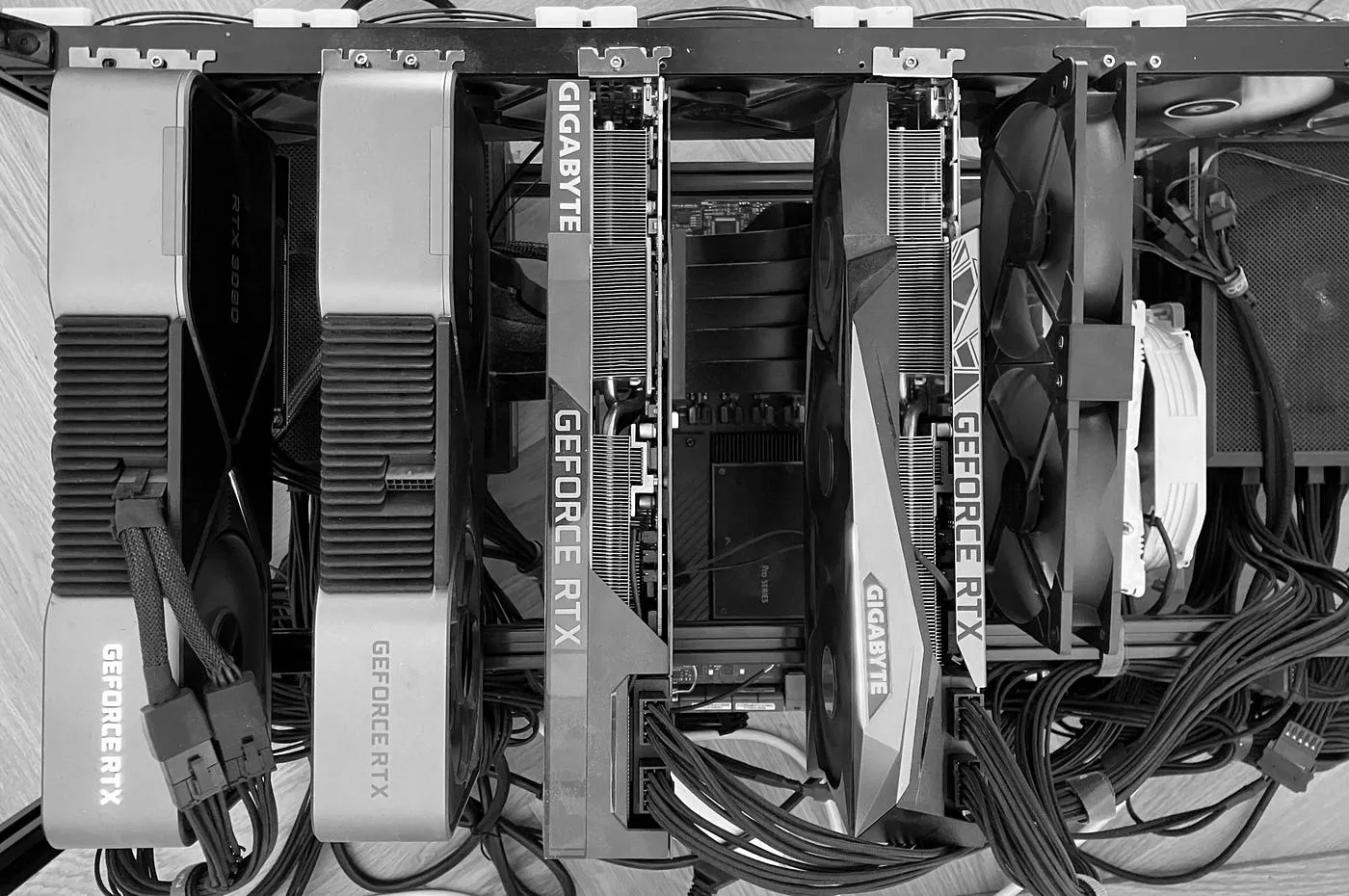
Packages like 🤗 Accelerate abstract away most of these complexities of multi-GPU training. But sometimes you need more control or just want to understand what’s happening under the hood. This post provides a starting point for implementing distributed training in pure PyTorch.
We’ll build everything step-by-step using an MNIST classifier, covering:
- Setting up torch Distributed Data Parallel (DDP)
- Creating a distributed data loader
- Gathering metrics like loss and accuracy from all GPUs while training
- Implementing gradient accumulation
- Performing distributed evaluation
Requirements
You will need at least one NVIDIA GPU to run the scripts, but due to the nature of the topic covered, two GPUs make sense.
Obviously you will also need torch. I have been working with version 2.4.0 here.
A Basic Training Loop
Let’s start with the official PyTorch example of a basic MNIST training loop.
def train(args, model, device, train_loader, optimizer, epoch):
    model.train()
    for batch_idx, (data, target) in enumerate(train_loader):
        data, target = data.to(device), target.to(device)
        optimizer.zero_grad()
        output = model(data)
        loss = F.nll_loss(output, target)
        loss.backward()
        optimizer.step()


def main():
    transform=transforms.Compose([
        transforms.ToTensor(),
        transforms.Normalize((0.1307,), (0.3081,))
        ])
    dataset1 = datasets.MNIST('../data', train=True, download=True,
                       transform=transform)
    dataset2 = datasets.MNIST('../data', train=False,
                       transform=transform)
    train_loader = torch.utils.data.DataLoader(dataset1,**train_kwargs)
    test_loader = torch.utils.data.DataLoader(dataset2, **test_kwargs)

    model = Net().to(device)
    optimizer = optim.Adadelta(model.parameters(), lr=args.lr)

    scheduler = StepLR(optimizer, step_size=1, gamma=args.gamma)
    for epoch in range(1, args.epochs + 1):
        train(args, model, device, train_loader, optimizer, epoch)
        test(model, device, test_loader)
        scheduler.step()
Note: I left out import statements, argument parsing, logging, etc. but you get the idea.
Step 0 — Setup DDP
The basic thing we need to do is to initialize torch.dist and wrap our model in a DistributedDataParallel container.
import torch.distributed as dist
from torch.nn.parallel import DistributedDataParallel

def main():
    # initialize DDP
    dist.init_process_group(backend='nccl')
    torch.cuda.set_device(dist.get_rank())

    model = Net().to(device)

    # wrap the model
    model = DistributedDataParallel(model, device_ids=[dist.get_rank()])

    # load data, setup optimizer ..

    # train the model ..

    # shutdown DDP
    dist.destroy_process_group()
We use the nccl backend here, which is the only one I have ever used with Linux. Windows might be different. If you want to learn more about backends, check out Which backend to use.
Wrap Model with DistributedDataParallel
The DistributedDataParallel container takes care of model synchronization during training. All you have to do is wrap the model.
model = DistributedDataParallel(model)
The rest of the training loop stays the same. Torch will take care of synchronizing the weights between GPUs after the backward pass.
Rank and World Size
There are two terms we need to get familiar with: rank and world size. DDP scripts are run with torchrun --nproc-per-node 4 train.py (instead of python train.py). torchrun will create the number of processes passed as parameter nproc-per-node. Each process has a unique id, that’s the rank. The world size is the number of all active processes.
For example, if you run a DDP script with torchrun --nproc-per-node 4 train.py, torch will spawn 4 processes with ranks 0, 1, 2, and 3. In your training script, calling dist.get_rank() tells you the rank of the current process. The total number of processes, the world size, can be obtained with dist.get_world_size().
Usually, you would start one process per GPU and set the GPU to be used by the current process to its rank:
torch.cuda.set_device(dist.get_rank())
With this, each process will use one GPU.
- Process
0will use the devicecuda:0 - Process
1devicecuda:1 - and so on ..
Step 1 — Distributed DataLoader
At this point, we create one process per GPU. Now we have to distribute the training data to all the processes (or ranks. or GPUs).
This is what the non-DDP aka single-GPU version of preparing the MNIST data loader looks like:
dataset = datasets.MNIST('../data', train=True, transform=transform)
train_loader = torch.utils.data.DataLoader(dataset)
The torch.dist package fortunately makes it easy to turn this into a distributed data loader. DataLoader by default picks items from the dataset using a RandomSampler or SequentialSampler. With DDP, we override the default sampler and pass a DistributedSampler, which splits the training data evenly across all ranks:
dataset = datasets.MNIST('./data', train=True, download=True, transform=transform)

train_loader = DataLoader(
    dataset,
    # magic!
    sampler = DistributedSampler(dataset_train, shuffle=True)
)
Nothing more to do here. DistributedSampler is rank-agnostic, it will find the current rank and only pass the appropriate data items to the data loader.
Step 2 — Inter-process communication (gather)
To recap:
- We spawn one process per GPU.
- Each process works on its share of the training data.
While gradients are automatically synched between ranks by the DDP container, other crucial variables are local to the current rank.
The loss for example is the local loss only.
for batch_idx, (data, target) in enumerate(train_loader):
    data, target = data.to(device), target.to(device)
    optimizer.zero_grad()
    output = model(data)
    loss = F.nll_loss(output, target)
    loss.backward()
    optimizer.step()
    if batch_idx % args.log_interval == 0:
        # loss is -not- synched between processes
        print('Train Epoch: {} [{}/{} ({:.0f}%)]\tLoss: {:.6f}'.format(
            epoch, batch_idx * len(data), len(train_loader.dataset),
            100. * batch_idx / len(train_loader), loss.item()))
Note: This is, again, a snippet taken from the basic MNIST training code.
After the backward pass, one would usually log the loss of the batch which was just processed. While model is automatically synched after the backward pass, loss is the loss obtained by the current rank only, regardless of the values obtained by the other ranks.
To gather the loss across all ranks, torch.dist provides all_gather_object(). For simplicity, I usually wrap this function in something called dist_gather().
# Gather an object from all ranks in the distributed group, returns a list
def dist_gather(o):
    o_all = [None for _ in range(dist.get_world_size())]
    dist.all_gather_object(o_all, o)
    return o_all


def train():
  # ...
  for batch_idx, (data, target) in enumerate(train_loader):
      data, target = data.to(device), target.to(device)
      optimizer.zero_grad()
      output = model(data)
      loss = F.nll_loss(output, target)
      loss.backward()
      optimizer.step()
      if batch_idx % args.log_interval == 0:

          # gather and average loss across all ranks
          loss = loss.item()
          loss_all = dist_gather(loss)
          loss_avg = sum(loss_all) / len(loss_all)

          print('Train Epoch: {} [{}/{} ({:.0f}%)]\tLoss: {:.6f}'.format(
              epoch, batch_idx * len(data), len(train_loader.dataset),
              100. * batch_idx / len(train_loader), loss_avg))
All the logging and reporting should be done by one of the processes only. This is why the process with rank 0 is usually called the master process and all log calls are performed on rank 0 only:
def is_master():
    return dist.get_rank() == 0

# log to console
if is_master():
    print('Train Epoch: {} [{}/{} ({:.0f}%)]\tLoss: {:.6f}'.format(
                epoch, batch_idx * len(data), len(train_loader.dataset),
              100. * batch_idx / len(train_loader), loss_avg))

# .. or wandb
if is_master():
    wandb.log(..)
Sanity check — What to expect
Training on multiple GPUs with DDP is the same as increasing the batch size. For example, training on a single GPU with batch size 32 is equivalent to training on four GPUs with batch size of 8. The global (or “effective”) batch size is 32 in both cases.
Since we report the average loss across all ranks, the plots should look the same for any number of GPUs as long as the global batch size (num_gpus * batch_size) is the same.
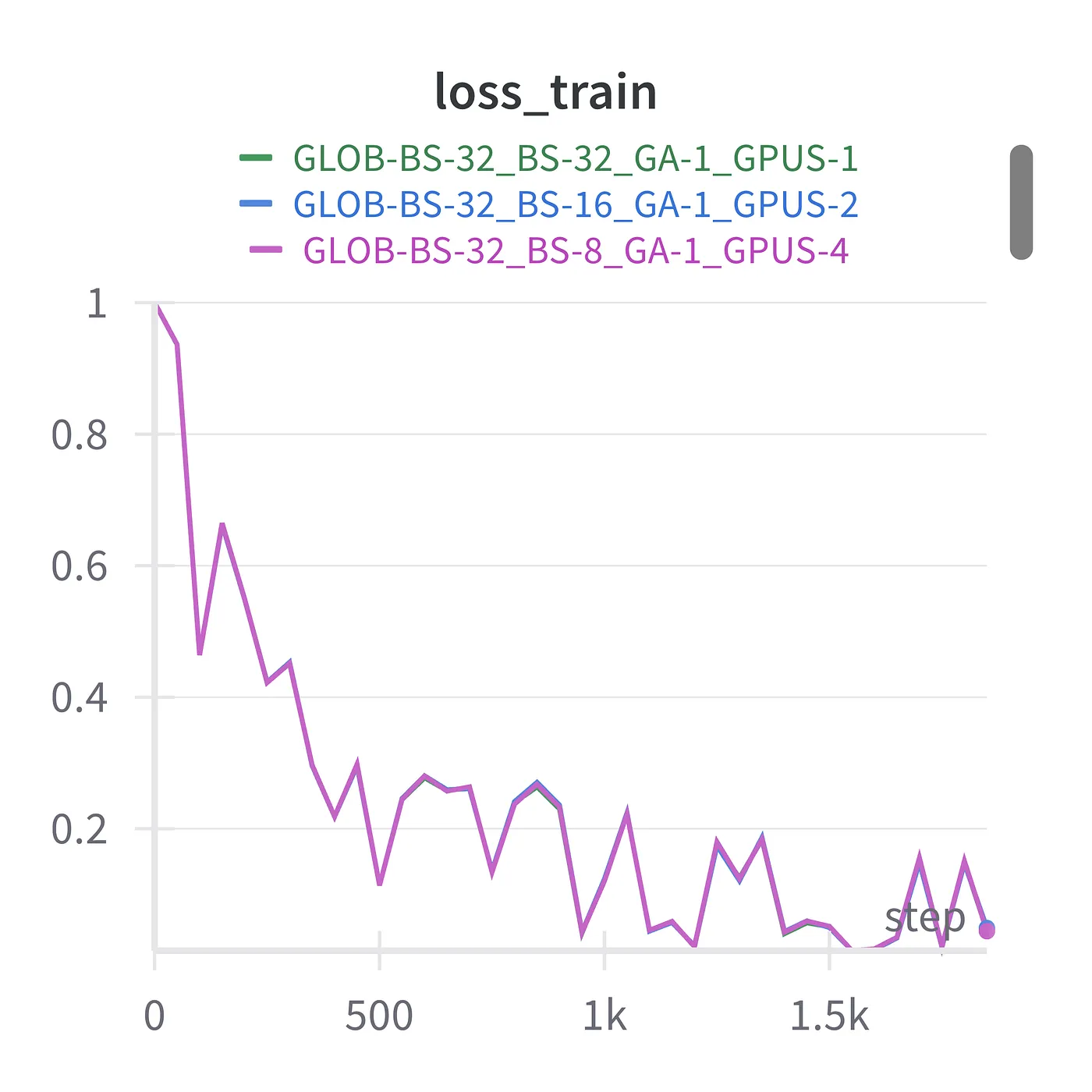
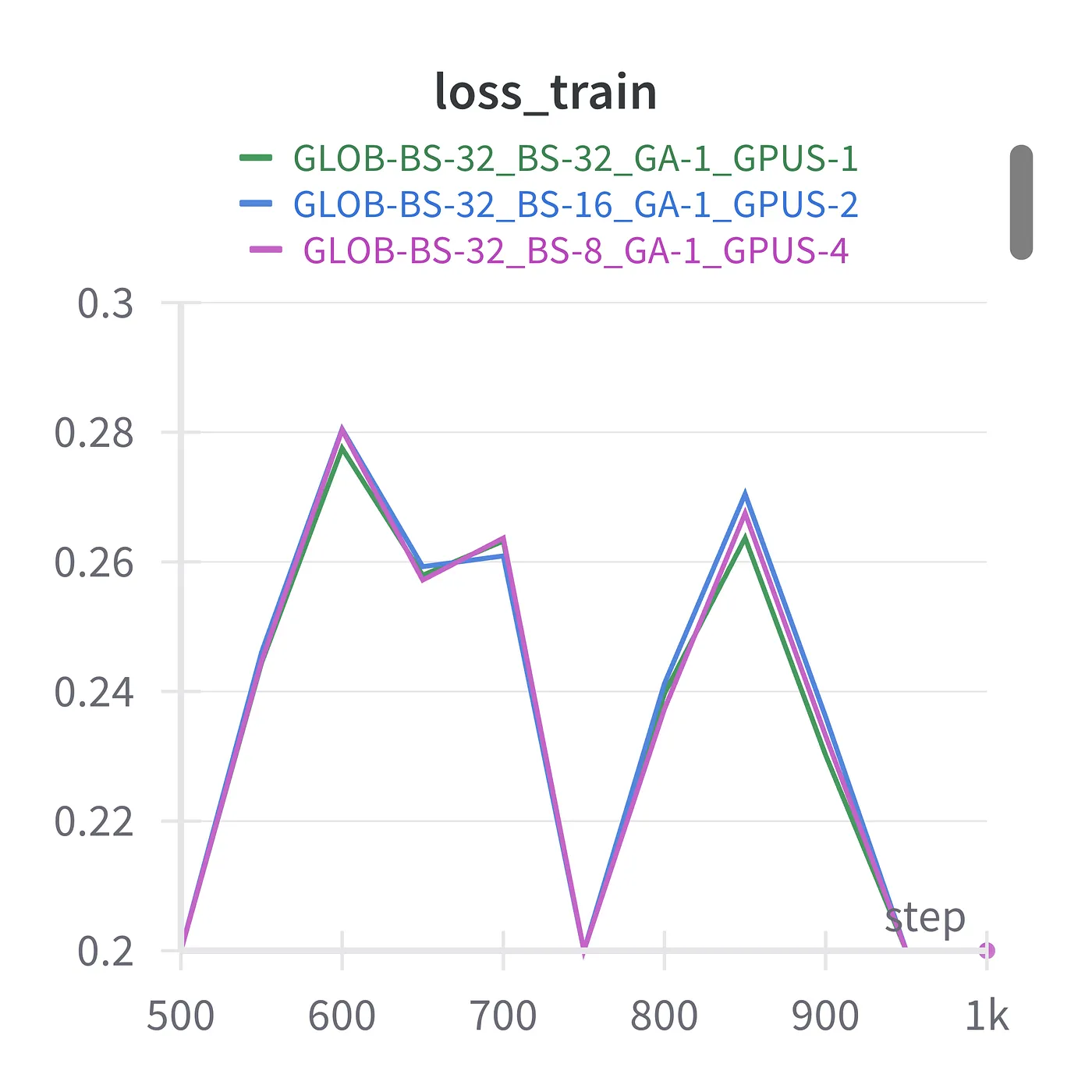
As you can see in the plots above, this is almost exactly what happens (left panel). You can hardly spot the difference between the loss curves without zooming in (right panel).
Step 3 — Gradient Accumulation
VRAM is gold. More VRAM = larger training batches. If you are not toying around with training tiny MNIST classifiers, but get into training LLMs or diffusion models you will meet the famous RuntimeError: CUDA out of memory.
Gradient accumulation is a technique that allows you to effectively train with larger batch sizes than your hardware can physically support.
For example, say you want to train with batches of 1024 samples, but your GPU memory can only fit 256 samples at once. Instead of reducing your batch size, you can:
- Process a micro-batch of 256 samples
- Calculate gradients (but don’t update model weights yet)
- Repeat steps 1–2 for four micro-batches total
- Sum all accumulated gradients
- Update model weights using the accumulated gradients
This approach is mathematically equivalent to training with your desired batch size of 1024, while working within your hardware constraints. The key insight is that you’re only updating weights after processing the complete “logical batch” of samples.
Gradient Accumulation and DDP
Coming back to our MNIST classifier example, this is what the original training loop looks like:
for batch_idx, (data, target) in enumerate(train_loader):
    data, target = data.to(device), target.to(device)
    optimizer.zero_grad()
    output = model(data)
    loss = F.nll_loss(output, target)
    loss.backward()
    optimizer.step()
There are several things we have to take care of:
- Scale the batch loss by the number of gradient accumulation steps.
- Accumulate gradients until the last micro-batch is processed.
- Update model weights with accumulated gradients.
- Prevent
torch.distfrom synching gradients between GPUs while accumulating.
This is what a DDP training loop with gradient accumulation looks like:
# provides nullcontext, a dummy context
import contextlib


for batch_idx, (data, target) in enumerate(train_loader):
    # step optimizer if last micro batch of batch OR last batch in dataloader
    # train_config.gas is the number of gradient accumulation steps
    if ( (batch_idx+1) % train_config.gas == 0
        or batch_idx + 1 == len(train_loader) ):
        step_optimizer = True
    else:
        step_optimizer = False

    # prevent DDP gradient sync if not stepping
    with model.no_sync() if not step_optimizer else contextlib.nullcontext():
        output = model(data.to(device))

    loss = F.nll_loss(output, target.to(device))

    # divide loss by number of gradient acc. steps
    loss = loss / train_config.gas if train_config.gas > 1 else loss

    loss.backward()

    if step_optimizer:
        optimizer.step()
        optimizer.zero_grad()
Let’s now test a few combinations of single GPU versus multiple GPU training, with and without gradient accumulation. Same global batch size.
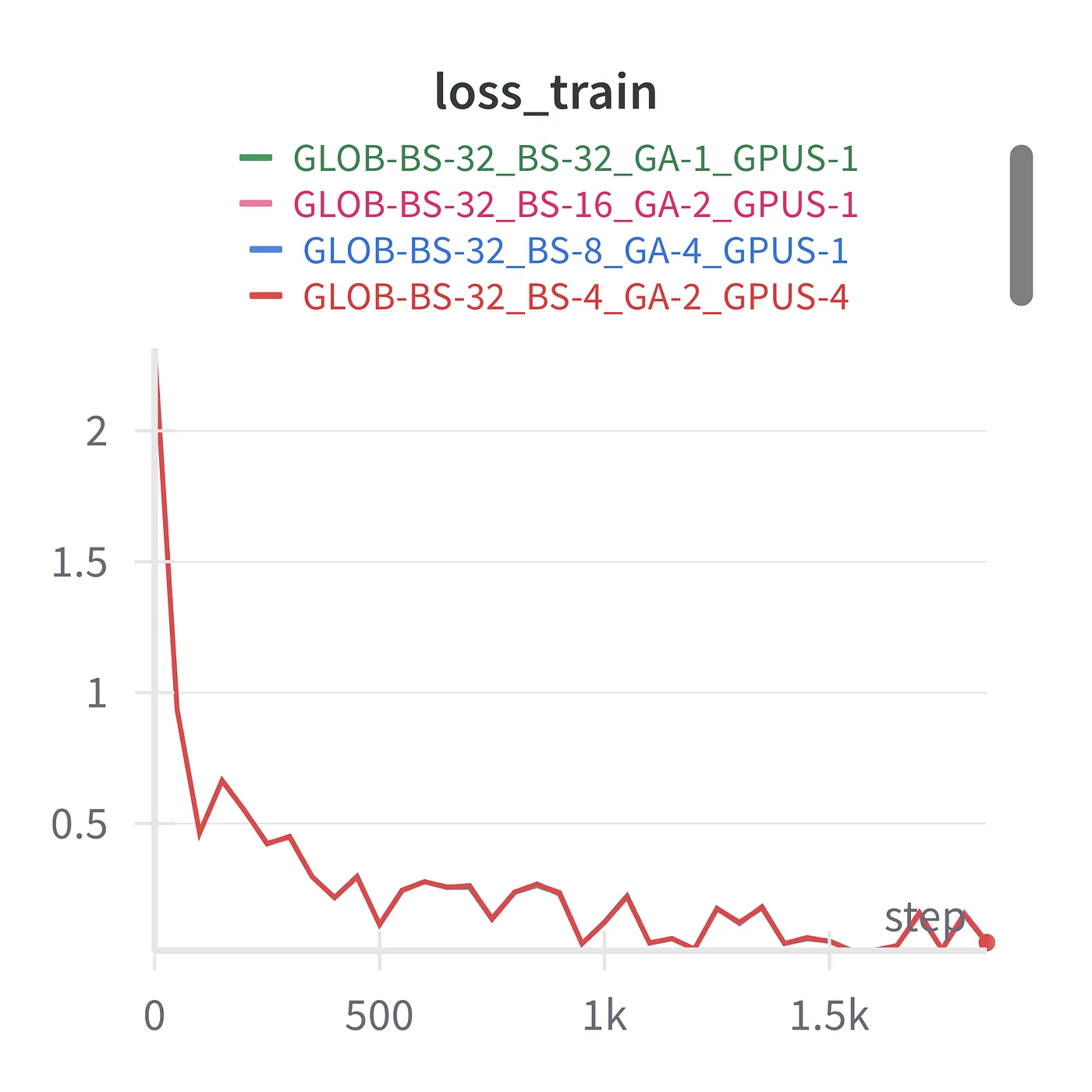
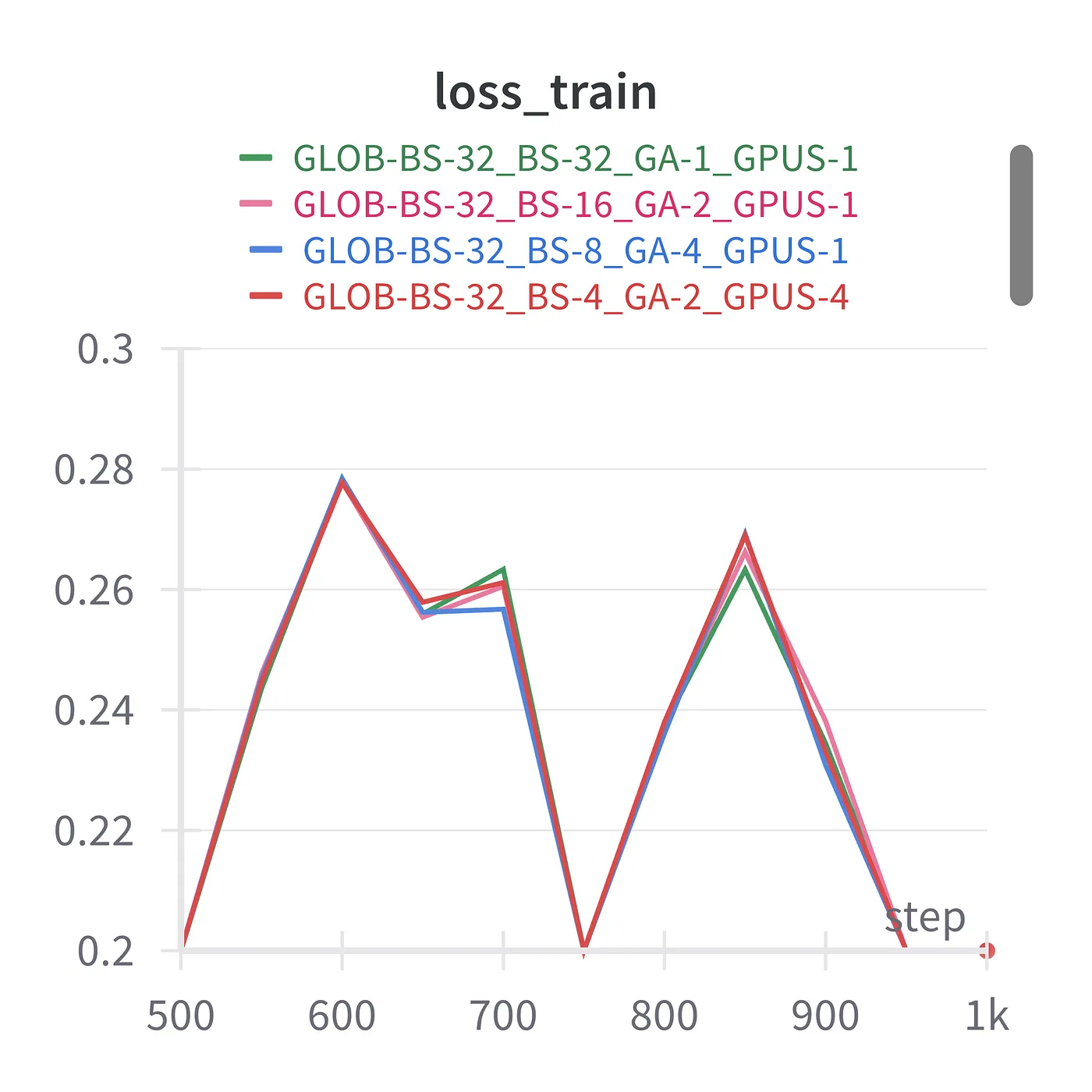
As you can see (again), the loss is almost exactly the same for these four training runs with a global batch size of 32:
- batch size of 32, 1 gradient accumulation step, 1 GPU
- batch size of 16, 2 gradient accumulation steps, 1 GPU
- batch size of 8, 4 gradient accumulation steps, 1 GPU
- batch size of 4, 2 gradient accumulation steps, 4 GPUs
Step 4 — Distributed Evaluation
Currently we train with one process per GPU, but what about evaluation?
We could do the evaluation on the master rank only and have the other processes wait in the meantime. But that would be a waste of compute.
Let’s look at the original evaluation routine of the MNIST example:
def test(model, device, test_loader):
    model.eval()
    test_loss = 0
    correct = 0
    with torch.no_grad():
        for data, target in test_loader:
            data, target = data.to(device), target.to(device)
            output = model(data)
            test_loss += F.nll_loss(output, target, reduction='sum').item()  # sum up batch loss
            pred = output.argmax(dim=1, keepdim=True)  # get the index of the max log-probability
            correct += pred.eq(target.view_as(pred)).sum().item()

    test_loss /= len(test_loader.dataset)

    print('\nTest set: Average loss: {:.4f}, Accuracy: {}/{} ({:.0f}%)\n'.format(
        test_loss, correct, len(test_loader.dataset),
        100. * correct / len(test_loader.dataset)))
To distribute the evaluation across all the processes we have to
- Create
test_loaderwith aDistributedSampler. - Collect
test_lossandcorrectfrom all ranks. - Report metrics on the master rank only.
This is what a modified evaluation function with the workload distributed across all GPUs looks like:
def test(step, model, dataloader_test, device="cuda"):
    model.eval()
    test_loss, correct, num_samples = 0, 0, 0

    for data, target in dataloader_test:
        with torch.no_grad():
            # unwrap model for evals
            output = model.module(data.to(device))
        test_loss += F.nll_loss(output, target.to(device), reduction='sum').item()  # sum up batch loss
        pred = output.argmax(dim=1, keepdim=True).cpu()  # get the index of the max log-probability
        correct += pred.eq(target.cpu().view_as(pred)).sum().item()
        num_samples += target.shape[0]

    # gather results from all GPUs
    num_samples = sum([ns for ns in dist_gather(num_samples)])
    correct = sum([c for c in dist_gather(correct)])
    test_loss = sum([tl for tl in dist_gather(test_loss)])

    # calculate and log on master only
    if is_master():
        accuracy = 100. * correct / num_samples
        test_loss /= num_samples

        print(f"Test set: Loss {test_loss:.2f}, accuracy {accuracy:.2f}")

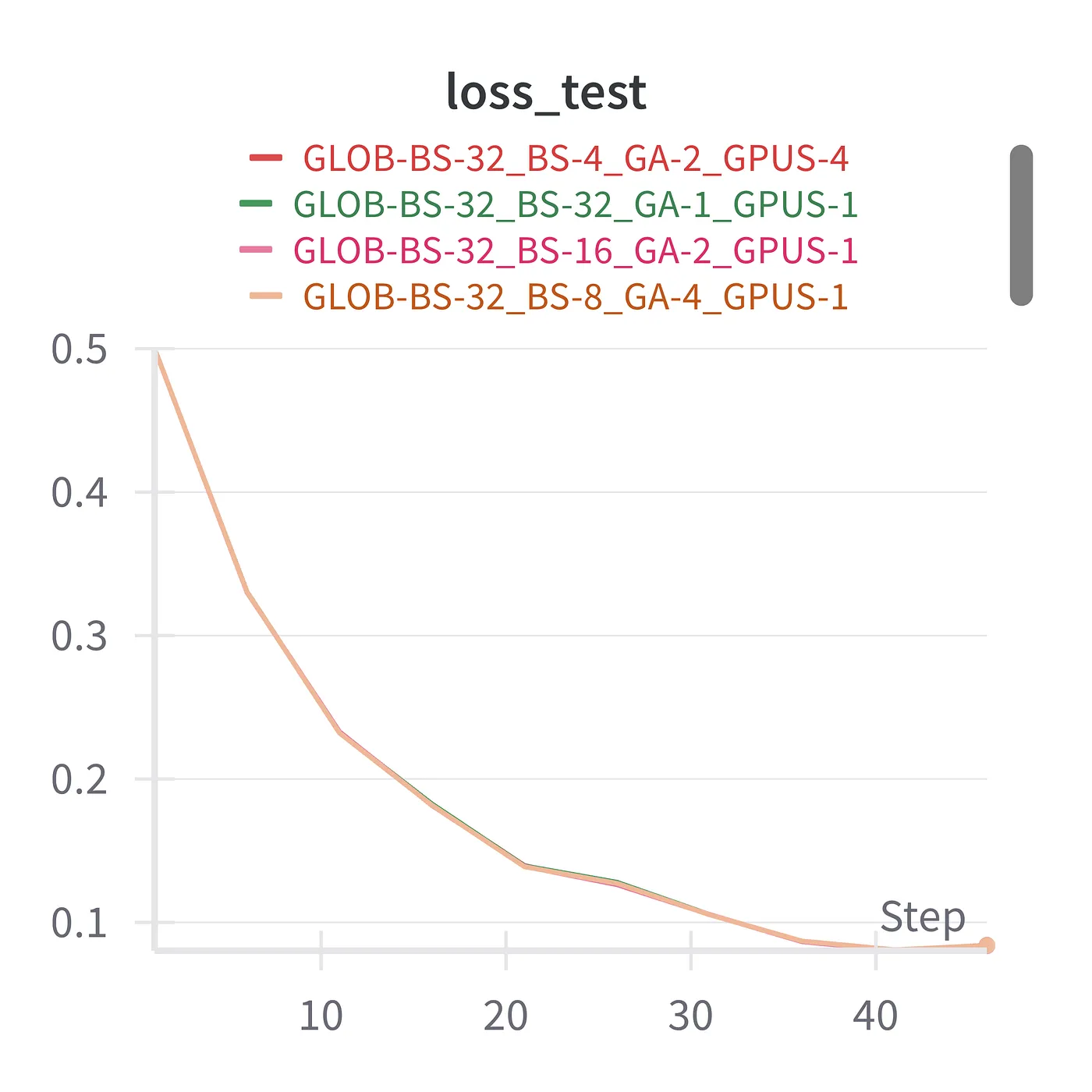
    model.train()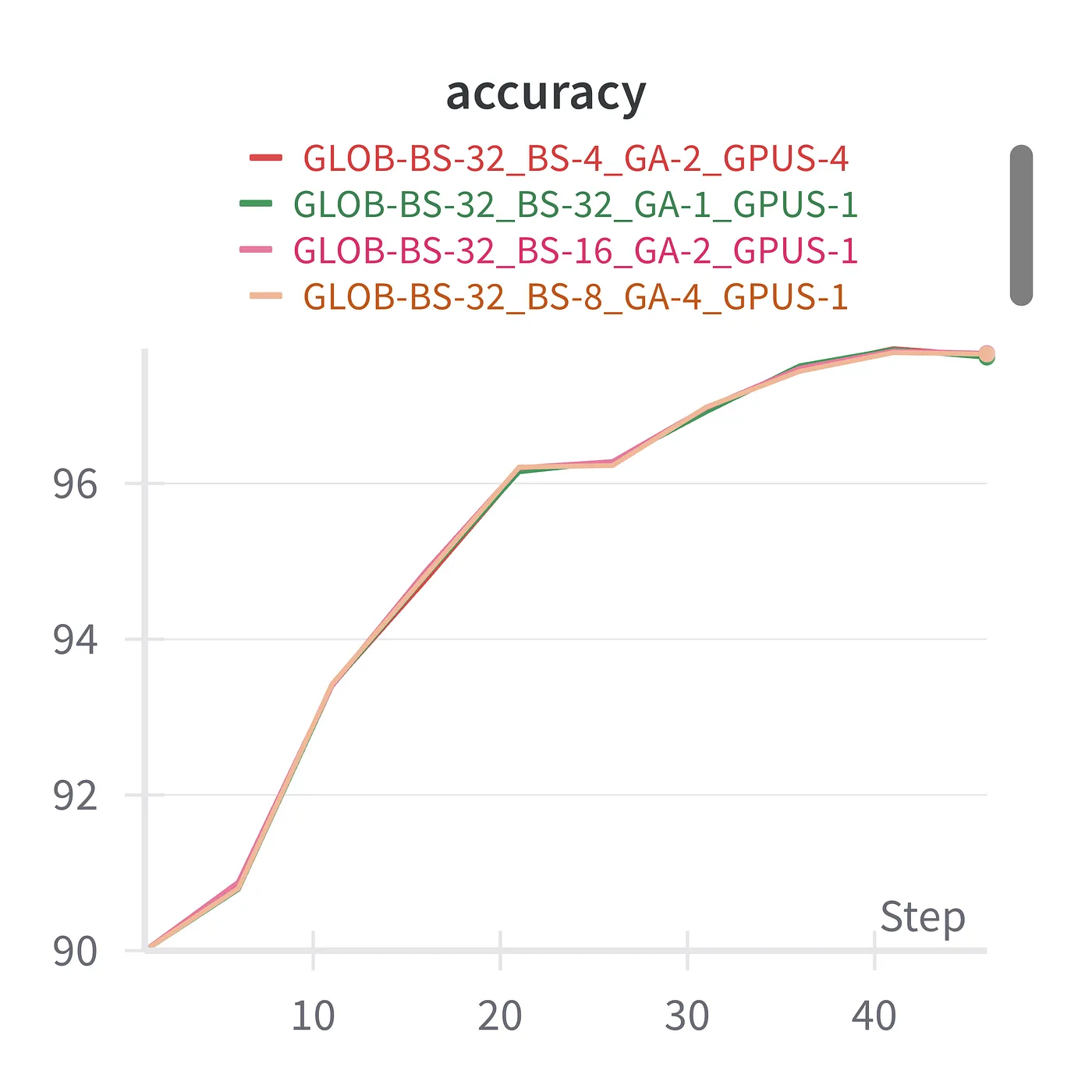
Summary
Implementing distributed training (or distributed anything) can be quite a headache.
In this blog post we covered the basic elements of a PyTorch DDP training script, implementing gradient accumulation, inter-process communication, and distributed data loading and evals. I compiled all the snippet madness above into a minimal DDP training script to use as a starting point for your own training adventures.